

The quality of your home entertainment experience depends on numerous factors, but one element often overlooked is the humble HDMI cable connecting your devices. Many households continue using cables purchased years ago, unaware that these outdated connectors may be preventing them from enjoying the full capabilities of their modern equipment. As display technology advances at a rapid pace, the infrastructure supporting these innovations must keep up, and that includes the cables transmitting audio and video signals between devices.
The importance of HDMI cables in audio-video quality
The role of HDMI in modern entertainment systems
HDMI cables serve as the primary conduit for transmitting both audio and video data between devices such as televisions, gaming consoles, streaming boxes, and sound systems. Unlike their predecessors, these cables carry digital signals that preserve quality throughout transmission, eliminating the degradation common with analogue connections. The integrity of this digital pathway directly influences what you see on screen and hear through your speakers.
Understanding bandwidth requirements
The term bandwidth refers to the amount of data a cable can transmit per second, measured in gigabits per second (Gbps). Modern content demands substantial bandwidth to deliver high-resolution images with rich colour depth and high frame rates. Consider these bandwidth requirements:
| Resolution | Refresh Rate | Bandwidth Required |
|---|---|---|
| 1080p Full HD | 60Hz | 4.95 Gbps |
| 4K Ultra HD | 60Hz | 18 Gbps |
| 4K Ultra HD | 120Hz | 48 Gbps |
| 8K | 60Hz | 48 Gbps |
When cables cannot meet these bandwidth demands, users experience compromised picture quality, reduced frame rates, or complete signal failure. This technical foundation explains why cable specifications matter tremendously for achieving optimal performance from your equipment.
The innovations of new HDMI standards
Evolution from HDMI 1.4 to HDMI 2.1
The HDMI specification has undergone significant evolution since its introduction. HDMI 1.4, released over a decade ago, represented a major step forward at the time, introducing support for 4K resolution, though limited to 30Hz refresh rates. The subsequent HDMI 2.0 standard increased bandwidth to 18 Gbps, enabling 4K content at 60Hz, which became the baseline for modern 4K televisions.
The latest HDMI 2.1 standard represents a quantum leap, offering bandwidth up to 48 Gbps. This massive increase unlocks capabilities that were previously impossible:
- Support for 8K resolution at 60Hz and 4K at 120Hz
- Dynamic HDR for scene-by-scene optimisation
- Variable Refresh Rate (VRR) for smoother gaming
- Auto Low Latency Mode (ALLM) for reduced input lag
- Enhanced Audio Return Channel (eARC) for lossless audio formats
Audio enhancements in modern standards
Beyond visual improvements, newer HDMI standards have revolutionised audio transmission. The eARC feature allows uncompressed audio formats like Dolby TrueHD and DTS-HD Master Audio to pass from your television back to your sound system. This capability is essential for home cinema enthusiasts seeking authentic surround sound experiences. Older cables supporting only standard ARC cannot transmit these high-quality audio formats, forcing compression that diminishes sound fidelity.
These technological advancements demonstrate why the cable connecting your devices matters just as much as the devices themselves, particularly when you’ve invested in premium equipment designed to deliver cutting-edge performance.
The limitations of old HDMI cables
Bandwidth constraints affecting modern content
The most significant limitation of older HDMI cables is their insufficient bandwidth capacity. An HDMI 1.4 cable, for instance, maxes out at approximately 10.2 Gbps, which proves adequate for 1080p content but struggles with 4K material. When attempting to display 4K content at 60Hz through such cables, users may encounter:
- Automatic downscaling to lower resolutions
- Reduced refresh rates causing judder
- Complete signal dropout or “no signal” messages
- Intermittent screen flickering or blackouts
Missing features in legacy cables
Beyond bandwidth, older cables simply lack the physical architecture to support modern features. Gaming enthusiasts particularly suffer from this limitation, as features like VRR and ALLM require HDMI 2.1 cables to function. Without these features, gamers experience screen tearing and increased input lag, handicapping their competitive performance despite owning capable consoles and displays.
Signal degradation and interference issues
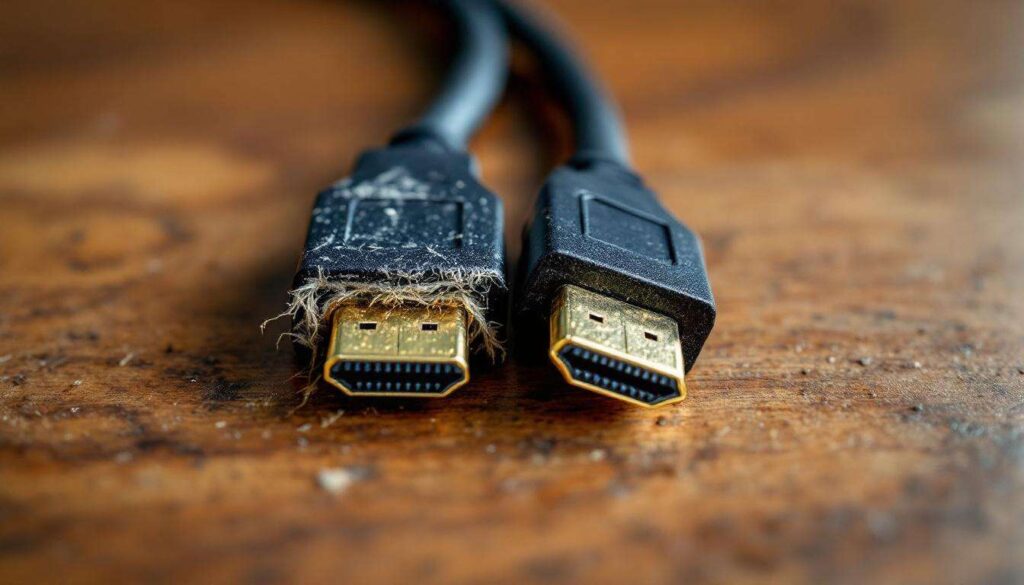
Aged cables also suffer from physical deterioration over time. The internal conductors may corrode, shielding can degrade, and connectors loosen, all contributing to signal quality problems. These issues manifest as:
| Symptom | Likely Cause |
|---|---|
| Sparkles or snow on screen | Poor shielding allowing interference |
| Audio dropouts | Degraded conductors |
| Colour banding | Insufficient bandwidth |
| Handshake failures | Worn connectors |
Understanding these limitations helps explain why simply owning a 4K television or next-generation console doesn’t guarantee you’re experiencing their full potential.
How to identify an obsolete HDMI cable
Reading cable markings and labels
Identifying your cable’s specification requires examining the markings printed directly on the cable jacket. Manufacturers typically print the HDMI version number, though this practice isn’t universal. Look for labels indicating “High Speed,” “Premium High Speed,” or “Ultra High Speed.” These designations correspond to specific capabilities:
- Standard Speed: supports up to 1080i
- High Speed: supports 1080p and 4K at 30Hz
- Premium High Speed: supports 4K at 60Hz with HDR
- Ultra High Speed: supports HDMI 2.1 features including 8K
Physical characteristics and build quality
Whilst not definitive, certain physical characteristics can suggest a cable’s age. Older cables often feature thinner construction, less robust connectors, and minimal shielding. Modern Ultra High Speed cables typically have thicker jackets to accommodate additional shielding and conductors required for higher bandwidth transmission. However, visual inspection alone cannot confirm specifications, making labelling crucial.
Testing cable performance
The most reliable method involves testing the cable with your actual equipment. Connect your cable between a 4K source and display, then access your television’s information menu to verify the incoming signal resolution and refresh rate. If your 4K television displays only 1080p despite your source outputting 4K, the cable is likely the bottleneck. Similarly, enabling HDR in your source device settings and checking whether it activates on your display can reveal cable limitations.
Once you’ve identified an outdated cable, understanding what makes newer alternatives superior becomes essential for making informed replacement decisions.
The advantages of recent HDMI cables
Future-proofing your setup
Investing in current-generation cables provides longevity for your entertainment system. An Ultra High Speed HDMI cable purchased today will support devices released over the next several years, eliminating the need for repeated upgrades. This future-proofing proves particularly valuable as 8K content gradually becomes more accessible and gaming consoles continue pushing graphical boundaries.
Enhanced gaming performance
Gamers benefit enormously from modern cables supporting HDMI 2.1 features. Variable Refresh Rate synchronises your display’s refresh rate with your console’s frame output, eliminating screen tearing during intense action sequences. Auto Low Latency Mode automatically switches your television to its lowest-latency picture mode when gaming, providing competitive advantages in fast-paced titles. These features transform the gaming experience but require appropriate cables to function.
Superior audio quality
The eARC capability in newer cables enables uncompressed multi-channel audio transmission from your television to your sound system. This proves essential for streaming services now offering Dolby Atmos soundtracks, as older ARC connections compress these formats, losing spatial audio information. Audiophiles and cinema enthusiasts notice immediate improvements when upgrading to eARC-capable cables.
Reliability and build quality
Modern certified cables undergo rigorous testing to ensure consistent performance. The HDMI Licensing Administrator’s certification programme guarantees cables meet specific standards, reducing the likelihood of signal issues. Premium cables also feature improved shielding, gold-plated connectors, and reinforced strain relief, extending their operational lifespan significantly beyond budget alternatives.
With these advantages clearly established, selecting the right cable for your specific needs requires considering several practical factors.
Tips for choosing an appropriate HDMI cable
Matching cables to your equipment
Your cable selection should align with your current and anticipated equipment. For setups involving 4K displays and modern gaming consoles, Ultra High Speed HDMI cables represent the sensible choice. If your equipment maxes out at 1080p, Premium High Speed cables suffice whilst still providing headroom for future upgrades. Avoid purchasing outdated specifications even at discounted prices, as the minimal cost savings prove false economy.
Considering cable length
Cable length affects signal integrity, particularly at higher resolutions. For runs exceeding five metres, consider active cables featuring built-in signal amplification to maintain quality over distance. Standard passive cables work reliably up to approximately three metres for 4K content, but longer runs may require powered solutions or fibre optic alternatives.
Certification and quality assurance
Always purchase certified cables displaying the official HDMI hologram label. Certification ensures the cable has undergone testing confirming it meets advertised specifications. Uncertified cables, regardless of marketing claims, may fail to deliver promised performance. Reputable manufacturers provide clear specification information and stand behind their products with warranties.
Practical purchasing advice
Price doesn’t always correlate with performance beyond a certain threshold. Whilst avoiding the cheapest options proves wise, exorbitantly expensive cables rarely justify their premium over mid-range certified alternatives. Consider these factors:
- Verify certification through official HDMI licensing channels
- Read reviews focusing on long-term reliability
- Choose appropriate length without excess
- Prioritise build quality for frequently connected/disconnected applications
- Consider future equipment upgrades when selecting specifications
Upgrading your HDMI cables represents a modest investment that unlocks the full potential of your entertainment equipment. The difference between outdated and modern cables extends beyond technical specifications to tangible improvements in picture quality, audio fidelity, and gaming performance. As display technology continues advancing, ensuring your cables can handle current and emerging standards prevents bottlenecks that compromise your viewing experience. For anyone who has invested in quality televisions, sound systems, or gaming consoles, replacing legacy cables with certified Ultra High Speed alternatives delivers immediate, noticeable benefits whilst protecting against obsolescence as content standards evolve.