
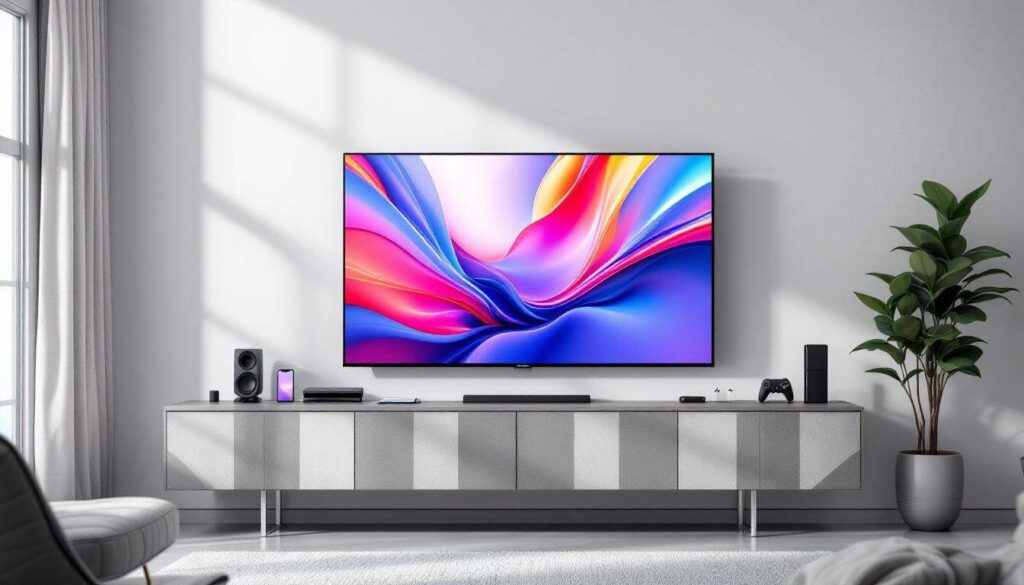
Smart televisions have revolutionised home entertainment, offering countless connectivity options that extend far beyond traditional HDMI cables. Whilst HDMI remains a popular choice for many users, numerous alternative methods exist to connect various devices to your smart TV. From wireless audio equipment to external storage solutions, these alternatives provide flexibility and convenience for modern households seeking to maximise their viewing experience without the clutter of additional cables.
Soundbars and headphones
Wireless audio connectivity via Bluetooth
Modern smart TVs incorporate Bluetooth technology as a standard feature, enabling seamless connection with wireless soundbars and headphones. This wireless protocol eliminates the need for physical cables whilst delivering high-quality audio output. Users can pair their Bluetooth-enabled devices within seconds, creating an immersive sound environment without compromising on audio fidelity.
The advantages of Bluetooth connectivity include:
- Freedom of movement without cable restrictions
- Reduced cable clutter around entertainment centres
- Quick pairing process with multiple devices
- Compatibility with various audio equipment brands
Optical audio connections
For soundbars requiring superior audio quality, optical audio cables present an excellent alternative to HDMI. These connections utilise the S/PDIF port commonly found on smart TVs, transmitting digital audio signals through fibre optic technology. The result is crystal-clear sound reproduction with minimal interference, particularly beneficial for home cinema enthusiasts demanding premium audio performance.
| Connection Type | Audio Quality | Latency |
|---|---|---|
| Bluetooth | Good | Low to moderate |
| Optical | Excellent | Minimal |
Beyond traditional audio connections, smart TVs accommodate various storage solutions that enhance content accessibility.
External storage
USB connectivity for media playback
Smart TVs feature USB ports that support external hard drives, flash drives, and solid-state storage devices. These connections enable users to access their personal media libraries directly, playing videos, music, and photographs without streaming or internet connectivity. The plug-and-play functionality makes USB storage particularly convenient for travellers or those with limited internet access.
Compatible storage formats typically include:
- FAT32 for universal compatibility
- NTFS for larger file support
- exFAT for cross-platform usage
Network-attached storage solutions
Network-attached storage (NAS) devices connect to smart TVs through home Wi-Fi networks, providing centralised media access across multiple devices. This wireless solution allows families to stream content from a shared library without physical connections, offering convenient access to extensive media collections from any room equipped with a compatible television.
These storage options complement traditional broadcast reception methods that remain relevant for many viewers.
Antennas and DVD players
Terrestrial antenna connections
Digital television antennas connect to smart TVs via coaxial RF inputs, enabling reception of free-to-air broadcast channels. This connection method requires no HDMI cables, utilising the traditional aerial port found on virtually all television models. Users benefit from access to local programming without subscription fees or internet requirements.
Composite and component video inputs
Older DVD players and set-top boxes can connect through composite (RCA) or component video cables. These analogue connections use colour-coded plugs—typically red, white, and yellow for composite, or red, green, blue, and separate audio channels for component connections. Whilst not providing high-definition quality, these inputs ensure compatibility with legacy equipment many households still own.
| Connection Type | Video Quality | Common Use |
|---|---|---|
| Coaxial RF | Standard to HD | Terrestrial broadcasts |
| Composite | Standard definition | Older DVD players |
| Component | Up to 1080p | Enhanced DVD playback |
Mobile computing devices offer additional connectivity possibilities through various wireless protocols.
Laptops and smartphones
Screen mirroring technologies
Smart TVs support wireless screen mirroring from laptops and smartphones through protocols such as Miracast, AirPlay, and Chromecast built-in. These technologies transmit display content over Wi-Fi networks, allowing users to project presentations, stream videos, or share photographs on larger screens. The wireless nature of these connections provides flexibility for both professional and entertainment applications.
Popular screen mirroring options include:
- Miracast for Windows and Android devices
- AirPlay for Apple ecosystem products
- Smart View for Samsung devices
- Screen Cast for various Android manufacturers
DLNA media streaming
Digital Living Network Alliance (DLNA) technology enables media streaming from computers and mobile devices to smart TVs across home networks. This standard allows compatible devices to share multimedia content seamlessly, with laptops and smartphones acting as media servers. Users can browse and play content remotely without transferring files or establishing direct physical connections.
Dedicated audio equipment provides enhanced sound quality through specialised connection methods.
Audio systems
Wi-Fi enabled speakers
Smart TVs can connect to Wi-Fi speakers and multi-room audio systems without requiring HDMI or physical cables. These wireless audio solutions utilise home networks to transmit sound, often supporting high-resolution audio formats. Systems from various manufacturers integrate with smart TVs, creating sophisticated sound environments that rival traditional wired setups.
Analogue audio outputs
Most smart TVs retain 3.5mm headphone jacks or RCA audio outputs for connecting traditional stereo systems and amplifiers. These analogue connections provide reliable audio transmission to older equipment, ensuring compatibility across generations of audio technology. The simplicity of these connections makes them accessible for users preferring straightforward setup procedures.
| Audio Connection | Typical Use | Setup Complexity |
|---|---|---|
| Wi-Fi speakers | Multi-room audio | Moderate |
| 3.5mm jack | Headphones, portable speakers | Simple |
| RCA outputs | Traditional stereo systems | Simple |
Entertainment extends beyond traditional media consumption to include interactive gaming experiences.
Gaming consoles
Composite and component gaming connections
Older gaming consoles can connect to smart TVs through composite or component video cables, bypassing HDMI requirements entirely. These connections support legacy systems that remain popular amongst retro gaming enthusiasts. Whilst video quality may not match modern standards, these inputs preserve access to classic gaming libraries on contemporary television sets.
Wireless streaming for cloud gaming
Cloud gaming services enable users to play console-quality games on smart TVs through wireless internet connections alone. Platforms offering these services stream gameplay directly to compatible televisions, eliminating the need for physical console connections. Users require only a stable internet connection and compatible controller, with processing occurring remotely on dedicated servers.
The diversity of connection options available for smart TVs demonstrates the evolution of home entertainment technology. From Bluetooth audio devices and USB storage to wireless screen mirroring and cloud gaming, modern televisions accommodate numerous devices without relying on HDMI cables. These alternatives provide flexibility for various use cases, whether connecting legacy equipment through analogue inputs or embracing cutting-edge wireless technologies. Understanding these connection methods empowers users to maximise their smart TV capabilities whilst maintaining organised, cable-free entertainment spaces that suit contemporary lifestyles.